Level-4: Gravity Simulation
2-3 hours for kids with basic scratch experience
Dive into the basics of physics and learn how gravity works through code! In this project, you'll create balls that fall, bounce, and move realistically under the influence of gravity.

Video Tutorial
Watch the Level-4: Gravity Simulation tutorial video for a demonstration of this Scratch project.
Watch the video tutorialStep-by-Step Instructions
1. Setup the World
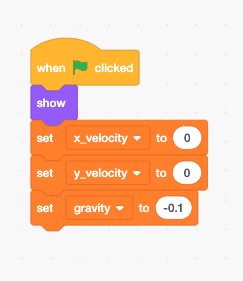
Paint a simple backdrop and add a ball sprite. Create three variables: 'x_velocity', 'y_velocity', and 'gravity'. Set gravity to a negative number (like -0.5) to pull things down.
2. Physics Logic
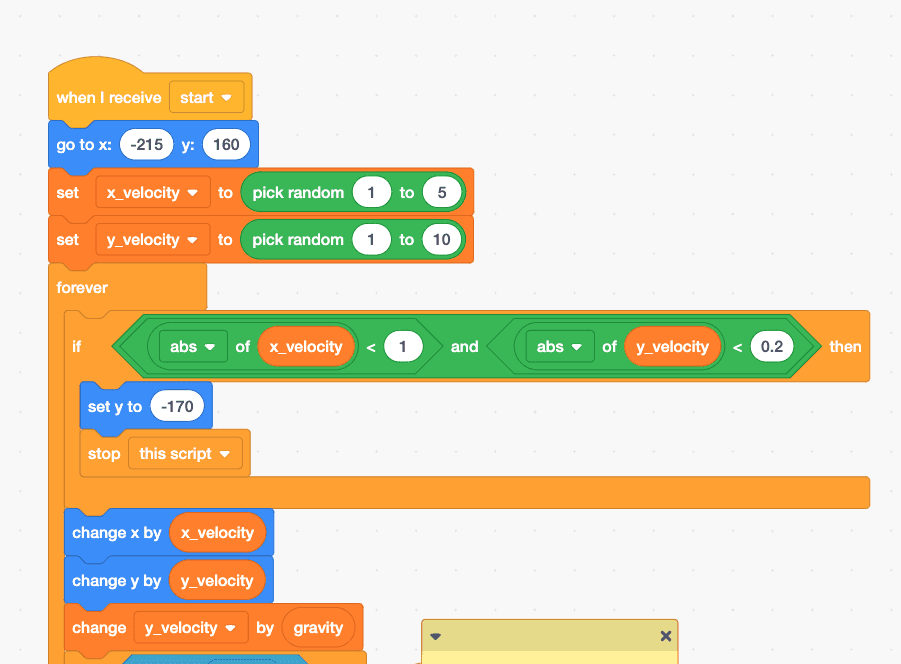
Create a loop where you constantly change the 'y_velocity' by 'gravity', and change the ball's Y position by 'y_velocity'. This makes the ball accelerate downwards!
3. Bouncing
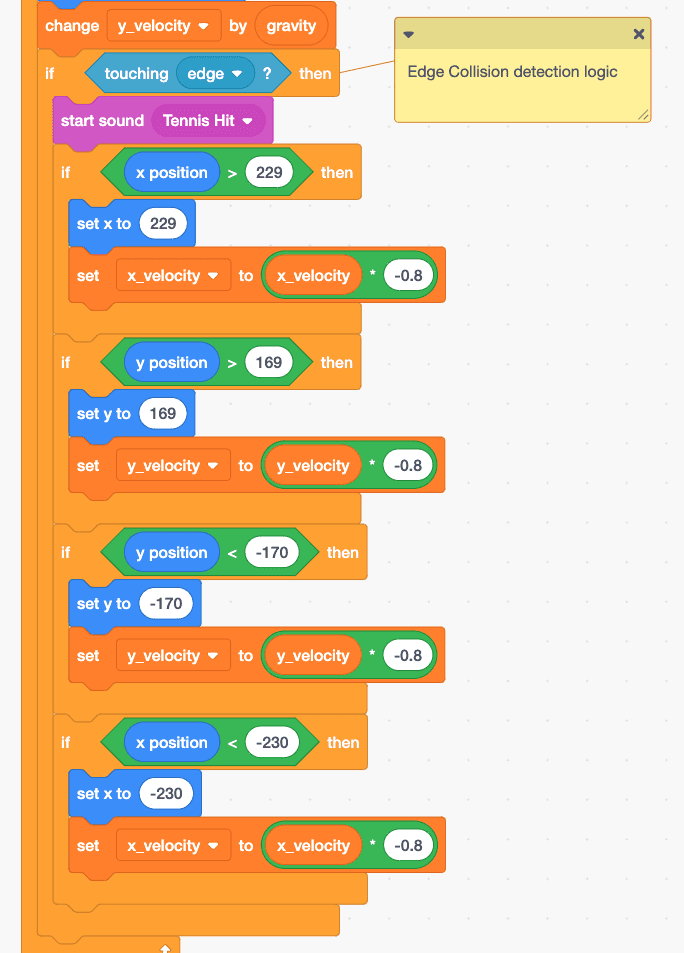
When the ball touches the edge or ground, reverse its velocity (multiply by -0.8) to make it bounce back up with slightly less energy each time.