Level-1: A simple jumping game
2-3 hours for kids with basic scratch experience
In this project, we'll create an exciting jumping game where you help your character leap over oncoming chickens! Each successful jump earns you points, and as your score climbs, the game gets more challenging with changing backgrounds and faster chickens.
Video Tutorial
Watch the Level-1: A simple jumping game tutorial video for a demonstration of this Scratch project.
Watch the video tutorialStep-by-Step Instructions
1. Setting Up Your Game World 🌍
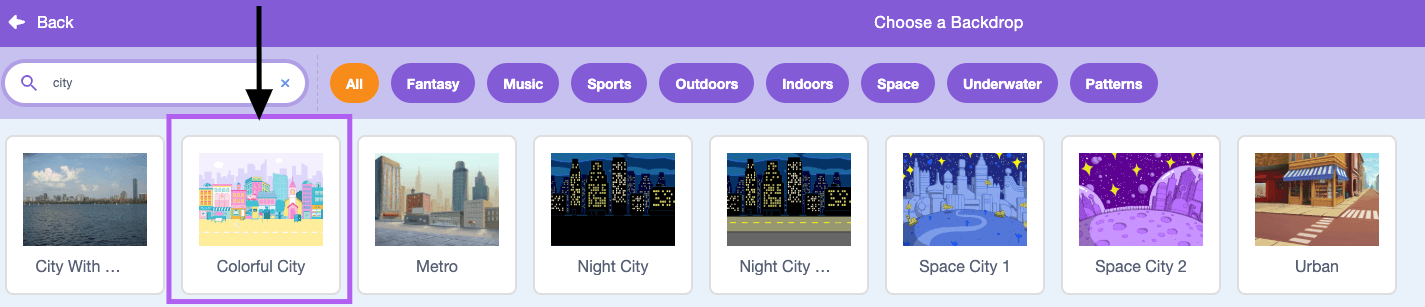
Create a new Scratch project. Choose a background for your game. We recommend the 'City' backdrop. Always save your project with a suitable name like 'KA-Level1-MyName'.
2. Creating Your Main Character 🦸
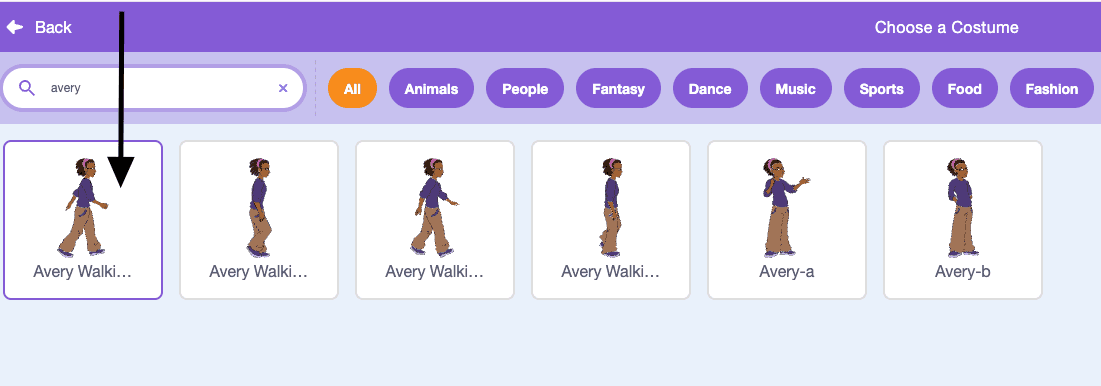
Delete the default cat sprite and pick a character that looks good for jumping. We will use 'Avery'. Add code to make the character jump when the space bar is pressed (change y by 15 in a loop, then -15 in a loop).
3. Adding the First Chicken 🐔
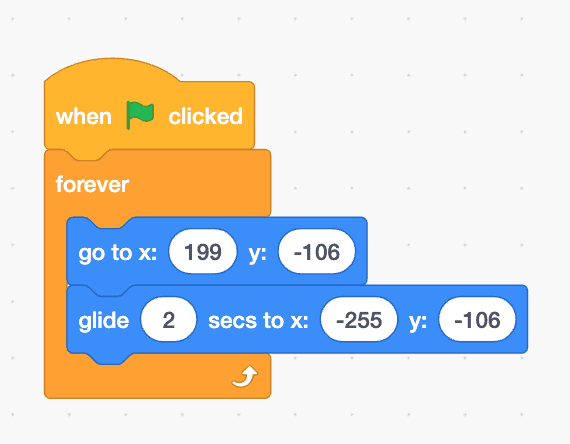
Choose a 'Chicken' sprite. Write code to make the chicken glide from the right side of the screen to the left side. This will be our obstacle.
4. Adding the Second Chicken 🐔
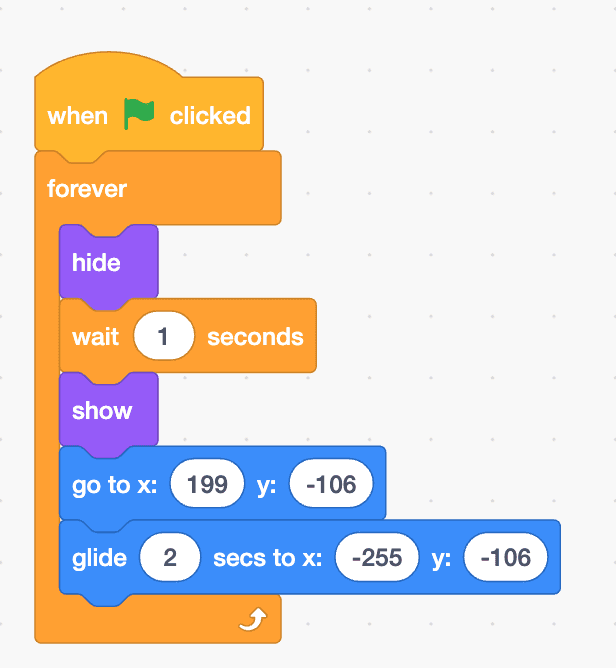
Duplicate your first chicken sprite. Add a 'wait' block to make the second chicken appear with a delay, so they don't overlap.
5. Game Over Logic
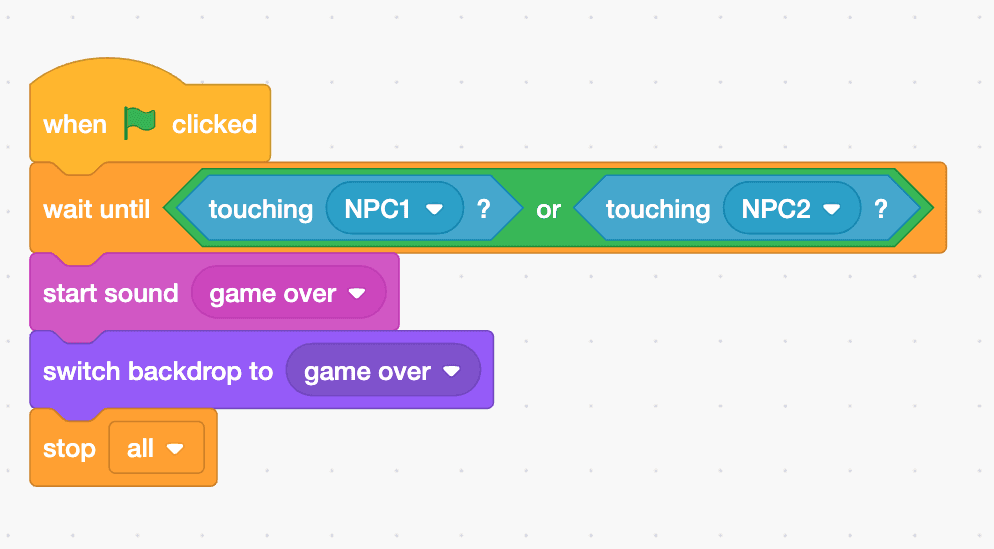
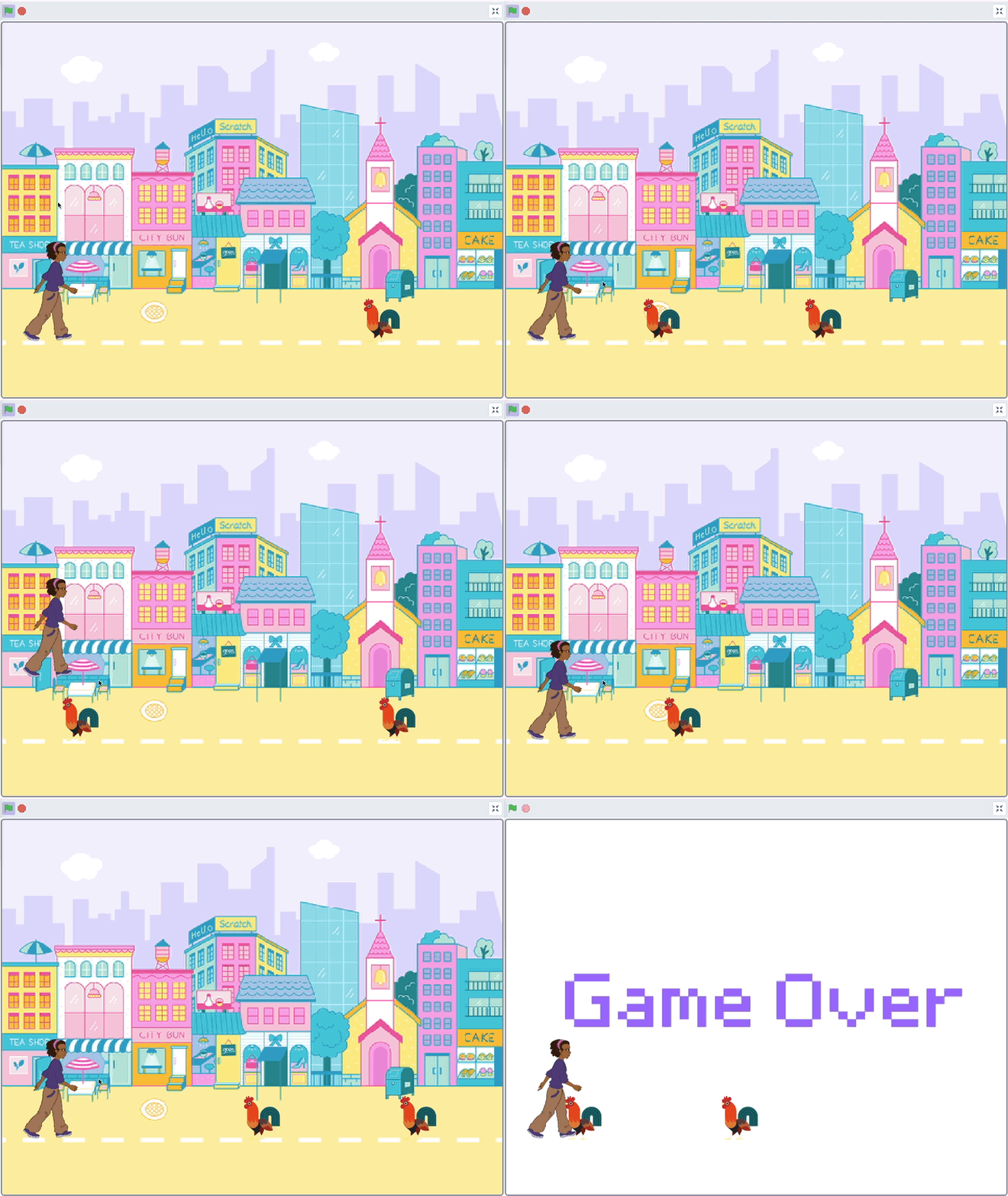
Create a 'Game Over' backdrop. Add collision logic: if the character touches a chicken, switch to the Game Over screen and stop all scripts.